
The Go/No-Go verdict
Know in two minutes whether a tender is worth a week of work: the verdict, its reasons, your dossier against the notice and the requirement checklist.
Answering a tender costs one to two weeks of work: collecting the dossier, administrative documents brought up to date, technical offer, financial offer, bid bond. Most firms decide whether to go for it on instinct. SangoBids reads the notice and its documents, compares them with your profile and gives a reasoned verdict, so the decision takes two minutes rather than two days.
The verdict and its reasons
On every tender page, under the "How to respond" steps, the Recommendation card shows one of three verdicts:
- Pursue: the notice matches your activity, the deadline is workable and nothing in the documents rules you out.
- Review: there is a real opportunity, but at least one point deserves checking before you commit the work.
- Skip: a criterion excludes you, the deadline is too short, or the notice does not match what you do.
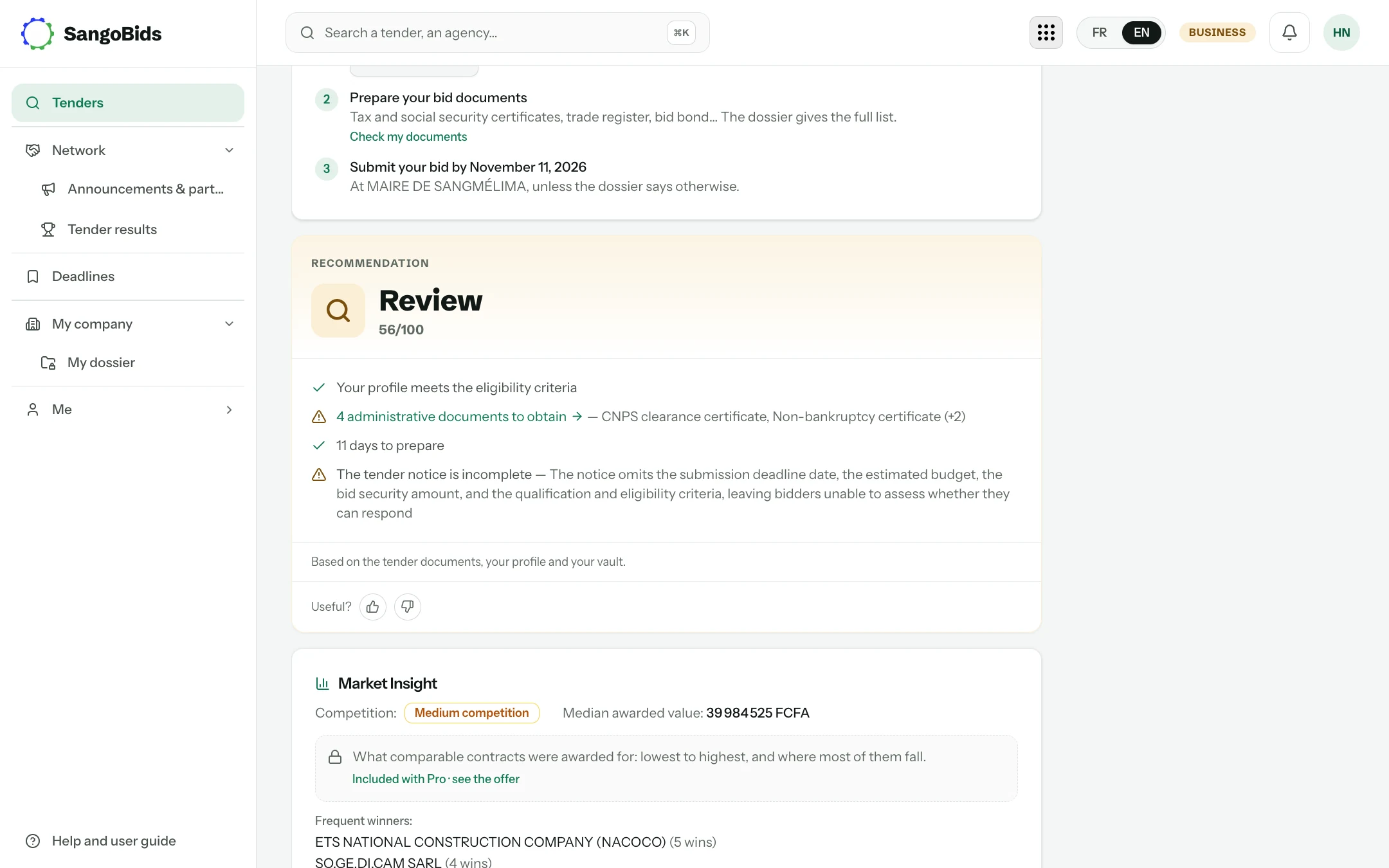
Computer
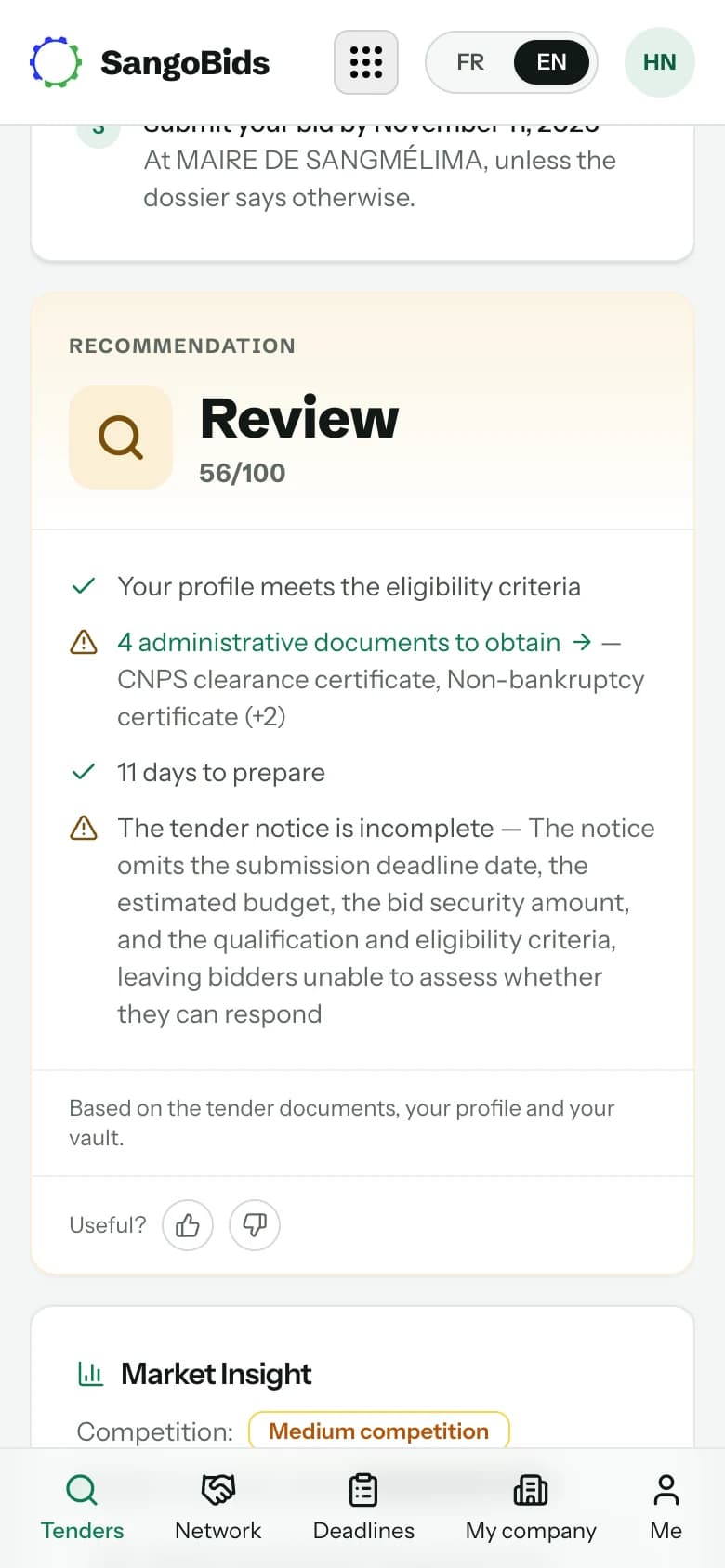
Phone
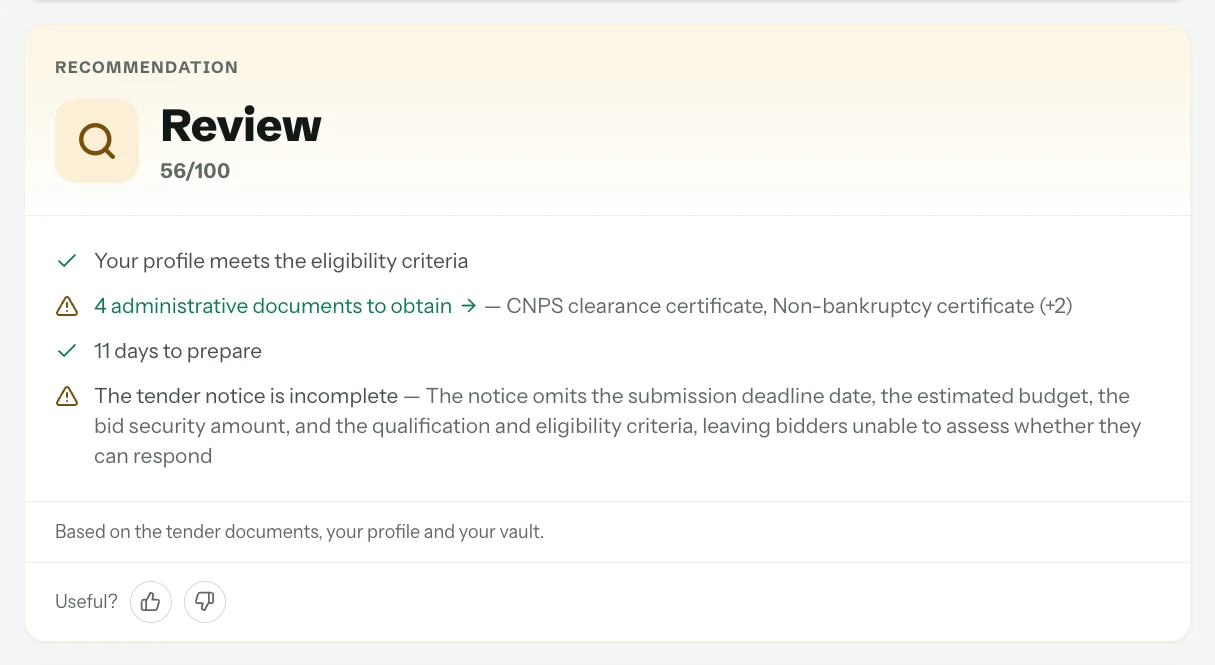
Computer
The reasons combine three sources:
- The notice itself: time left, amount, type of procedure, bid bond requested, and what the notice does not say. An incomplete notice is flagged as such, because it is common and it changes how you go about finding out more.
- The tender documents, when they are published: qualification criteria, minimum turnover, required references, licences.
- Your profile: sectors, regions, size, capabilities declared on your company page and documents present in your dossier.
Your dossier against the notice
Just below, the Your dossier card sets the administrative documents this kind of notice asks for in your country against the ones already stored in your vault.
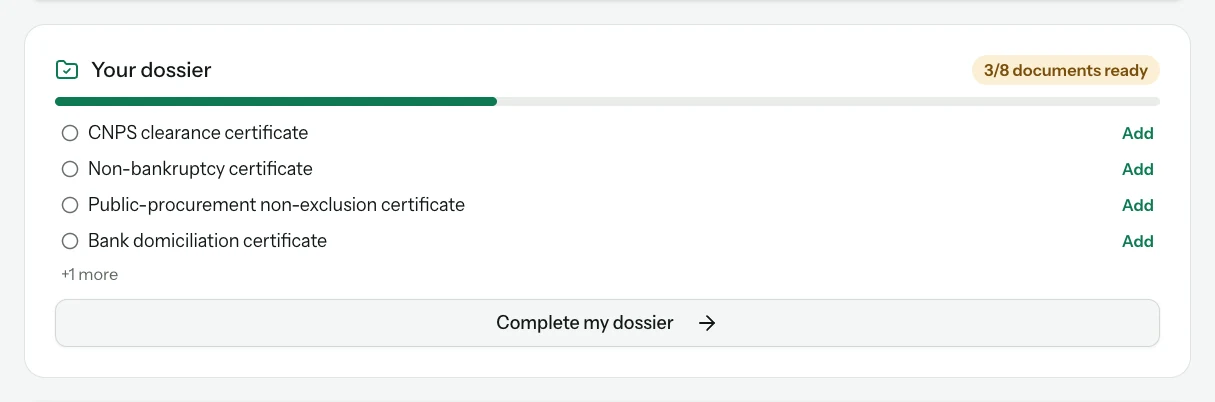
Computer
Read the counter
"3/8 documents ready" means that five documents usually requested for this kind of contract are not in your dossier, or have expired.
Add what is missing
Each Add button opens the upload for that document, with its expiry date. A document added once serves for every later notice.
Check against the tender dossier
The list is the usual set of documents in your country. The tender dossier (DAO) always prevails: it may ask for others, or waive some.
The list of documents to gather
A favourable verdict? The Prepare my file button, in the right-hand column of the page (under "How to respond" on a phone), adds the notice to your Workspace and opens its file.
Open the file from the tender page
One click is enough. The notice also joins your Deadlines, with a reminder 3 days and 1 day before the deadline.
Gather the documents
The file lists the documents the notice asks for. When the notice does not say enough, it starts from the country's usual list, to check against the buyer's dossier.
You can come back to the file at any time in the Workspace, and update the status of your bid there. SangoBids does not submit your bid: you hand it to the buyer yourself.
What the verdict does not do
It does not read what is not published. When a notice gives neither amount, nor criteria, nor documents, the verdict says so, and the right decision is to collect the dossier from the buyer before deciding: the "How to respond" steps, above the card, say where. Nor does it know your order book: a "Pursue" on a contract you do not have the capacity to absorb remains your decision.
What next
Favourable verdict? Prepare your file so you miss no date: the Prepare my file button on the page, then the Deadlines page. That is the subject of a coming article in this guide. Meanwhile, Search for tenders shows how to bring the notices worth a verdict to you.
Read next
Ready to try?
The account is free and public tenders stay free. Three minutes is enough to receive the first ones.
Get started free